


Jessica H.
This 2 in 1 Wireless CarPlay Android Auto Adapter has transformed my driving experience, making it incredibly convenient and hassle-free!
⭐⭐⭐⭐⭐

Featured On
As seen on popular automotive platforms and tech reviews.
- Forbes
- TechCrunch
- Wired
- Car and Driver
- CNET

Unleash Your Inner Techie!
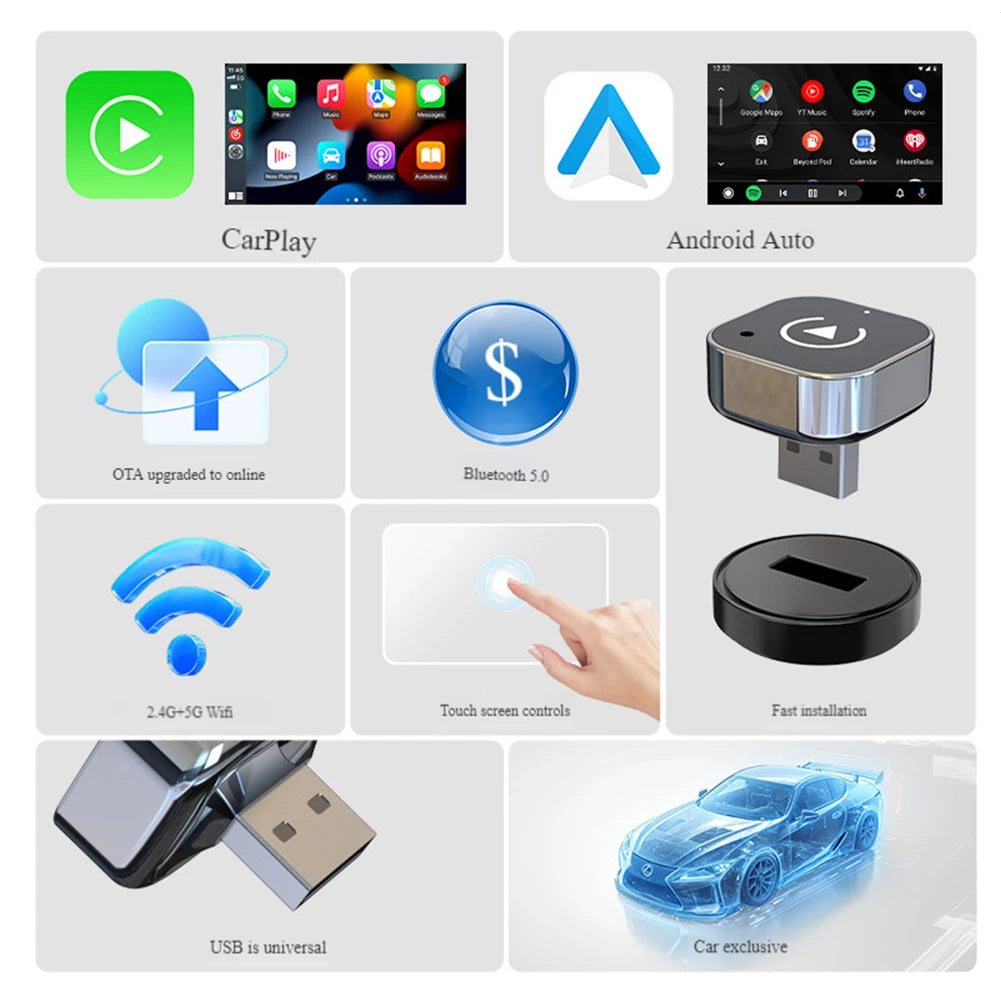
Transform your driving experience with the 2 in 1 Wireless CarPlay Android Auto Adapter! This nifty little dongle turns your factory wired CarPlay into a wireless wonder, making Siri and GPS your new best friends. With a compact design that fits right into your car's USB port, you can now enjoy a hands-free ride while looking like a tech genius. Say goodbye to tangled cables and hello to the future of driving!

Plug, Play, and Party!
Who knew connecting your phone to your car could be this much fun? With our Smart USB Dongle, just plug it in, and voilà! You’re ready to rock out with wireless Android Auto and CarPlay. It’s so easy, even your grandma could do it (but don’t tell her that). Plus, with fast and stable connectivity, you can stream, navigate, and chat without missing a beat. Buckle up, it’s going to be a smooth ride!
What Our Customers Are Saying
FAQ
What is the compatibility of the 2 in 1 Wireless Carplay Android Auto Adapter?
The adapter is compatible with iPhones 6 and above running iOS 10 and above, as well as Android models running Android 11 and above. Please note, it does not support Huawei or Honor mobile phones.
How do I install the Wireless Carplay Adapter?
Installation is simple! Just plug the mini Carplay & Auto Box dongle into your car's USB port, search for the Bluetooth name, and approve the connection requests to enjoy wireless CarPlay and Android Auto.
Does this product require any special setup?
No special setup is required. The adapter features a plug-and-play design, allowing for easy and quick connectivity.
What features does the Wireless Carplay Adapter offer?
The adapter provides wireless CarPlay and Android Auto functionality, allowing you to use Siri, GPS navigation, Google Assistant, and more without the hassle of cables.
What is the warranty on the Wireless Carplay Adapter?
Yes, the Wireless Carplay Adapter comes with a 1-year warranty, ensuring you can purchase with confidence.
How long does shipping take?
Shipping typically takes 5-7 business days, depending on your location.
What should I do if I encounter connectivity issues?
Make sure to turn on Wi-Fi and Bluetooth at the same time and keep the adapter away from other connected devices. If issues persist, please refer to the instruction manual or contact customer support.